
Data Export (Data Tools) in TimeFlow
Export Job Cards, Clients, Stock & Inventory, or Invoices to a CSV or Excel file, with control over date range and columns.
Updated · Reports & analytics
Before you start
You need data permission.
Finding this in the UI
- Header → Tools menu (grid icon) → Data, or go directly to
/dashboard/data. - Data Export is not on the left sidebar or footer — it only opens from the header's Tools menu.
Exporting data
The page is headed "Data Export" — "Export your data in CSV or Excel format." Four cards, one per data type, each with its own short description and total record count:
- Job Cards — "Export all job card records with booking and device details."
- Clients — "Export all client records with contact information."
- Stock & Inventory — "Export inventory items or product catalog data."
- Invoices — "Export invoice records with client, payment, and order details."
Each card works the same way:
- Date Range — click to pick a start/end date and limit the export, or leave it as "Select date range" to export everything.
- Columns — a count badge (e.g. "10/20") shows how many of that data type's available fields are included in the export.
- Total Records — how many records match your current filters.
- Export Format — choose CSV (.csv) or Excel (.xlsx) from the dropdown.
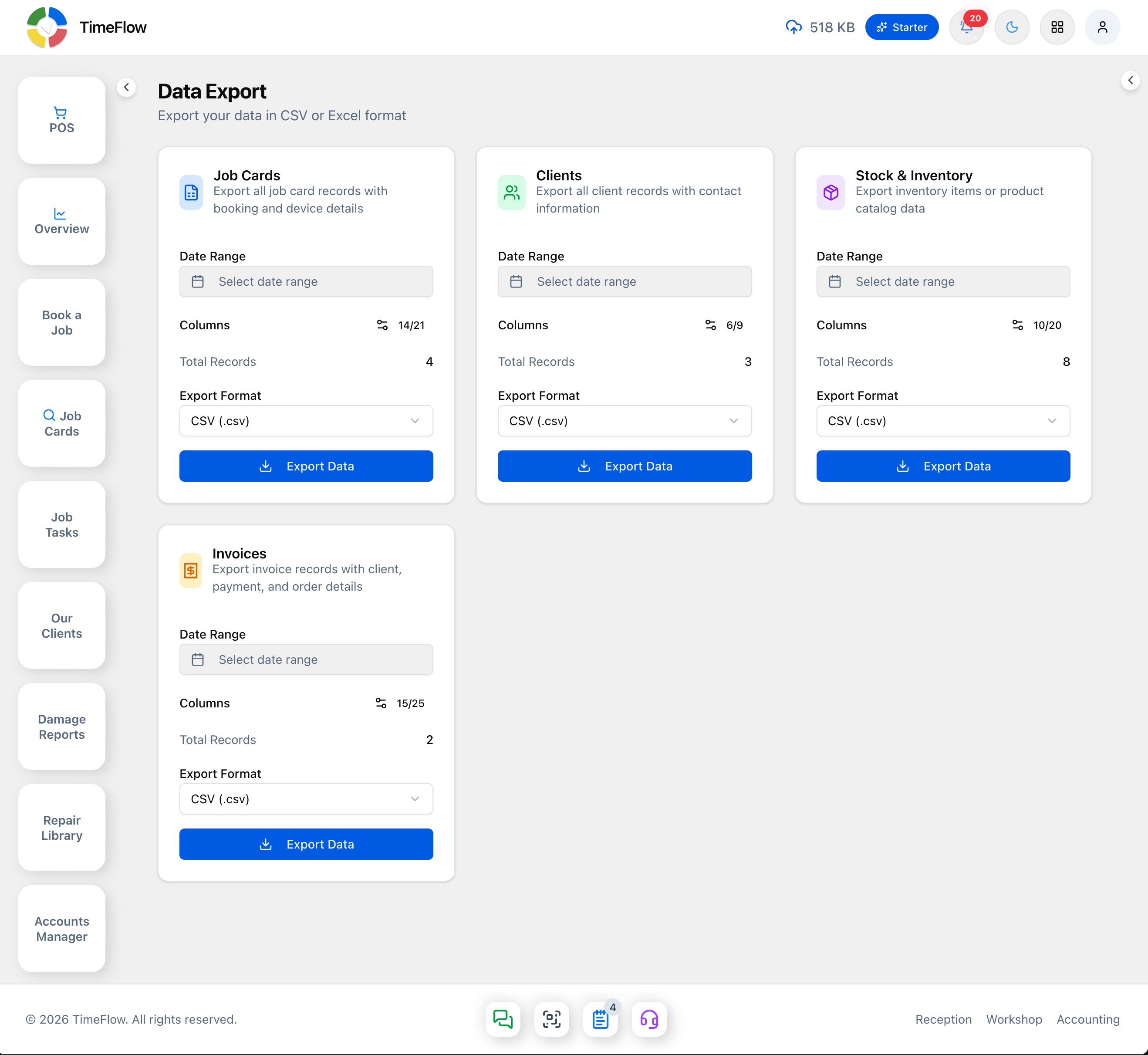
Click Export Data to download the file.
Tips
- Narrow the date range first on a large dataset (like Job Cards or Invoices) — it makes the export faster and the file easier to work with.
- Check each card's Total Records figure before exporting — it reflects your current date range, so an unexpectedly low count usually means the range is narrower than you intended.
Frequently asked questions
Can I export my data out of TimeFlow?
Yes. Header → Tools → Data exports job cards, clients, stock and inventory, and invoices to CSV or Excel, with an optional date range.
Related guides
- Sales & operations insightsChart job cards, revenue, orders, transactions, and quotes over any date range — top booking types, daily revenue, and payment method breakdowns.
- Scheduled reportsAutomatically email monthly financial and inventory reports (with PDF) to your accountant or managers, set a low-stock threshold, or request one now.