
Company Report Settings in TimeFlow
Set up automatic monthly financial and inventory reports emailed to whoever needs them, or request one on demand.
Updated · Reports & analytics
Before you start
You need accounting or company account permission.
Finding this in the UI
- Header → Tools menu (grid icon) → Reports, or go directly to
/dashboard/accounts/reports. - The left sidebar and footer do not have direct links here.
Financial Reports
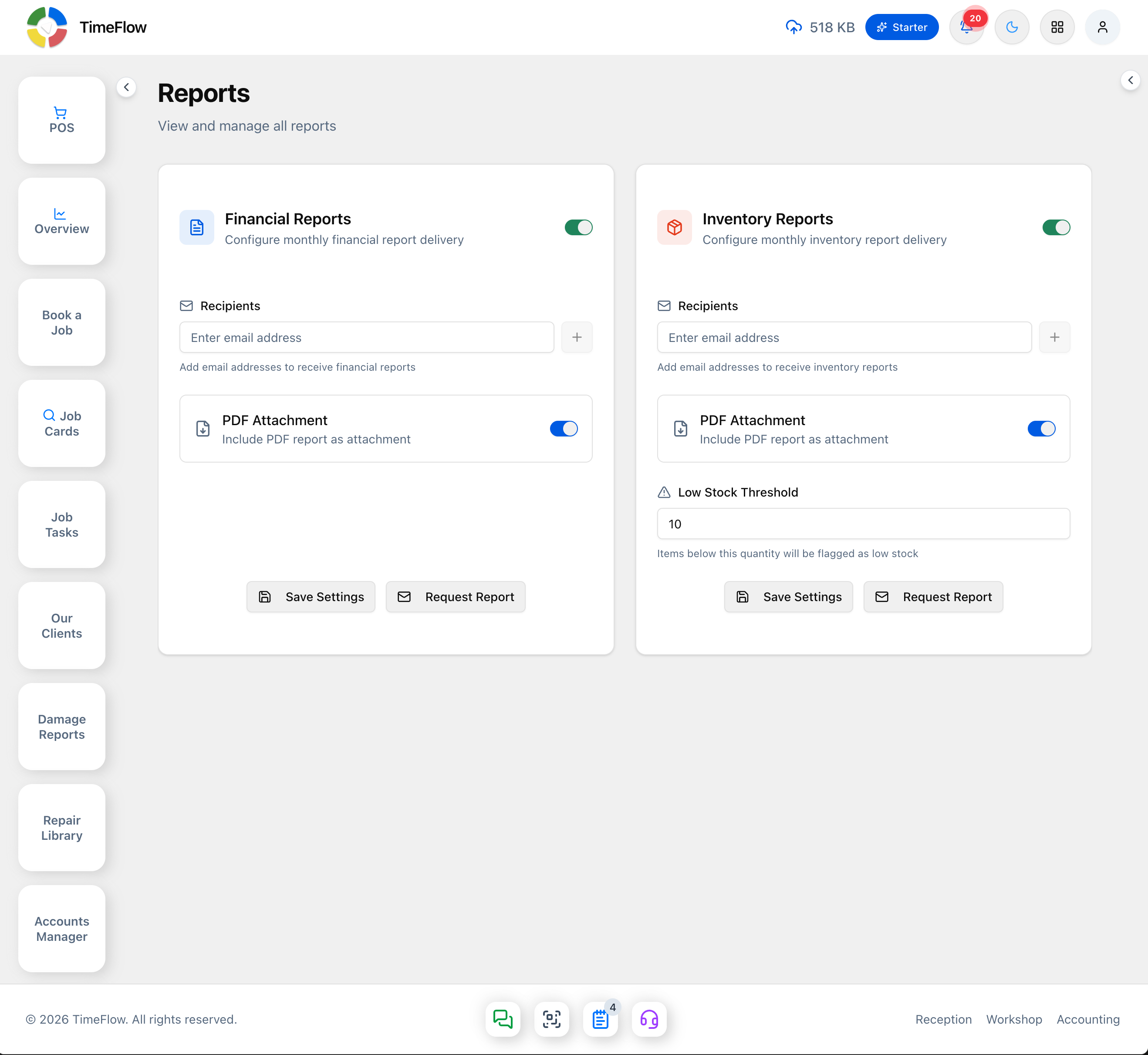
The Financial Reports card ("Configure monthly financial report delivery") has its own on/off toggle at the top, then:
- Recipients — add one or more email addresses (type an address and press the + button); the field's helper text reads "Add email addresses to receive financial reports".
- PDF Attachment toggle — "Include PDF report as attachment".
Click Save Settings to store the configuration, or Request Report to have this month's financial report emailed immediately without waiting for the schedule.
Inventory Reports
The same pattern, in its own card ("Configure monthly inventory report delivery"):
- Recipients — email addresses to receive the monthly inventory report.
- PDF Attachment toggle.
- Low Stock Threshold — a number field ("Items below this quantity will be flagged as low stock"); items with quantity below this number are flagged as low stock in the report.
Save Settings stores it, Request Report sends one immediately.
Tips
- The two reports (financial and inventory) are independent — you can enable one without the other, and give each its own recipient list.
- Use Request Report to sanity-check formatting and recipients before relying on the monthly schedule.
Frequently asked questions
Can TimeFlow email reports to my accountant?
Yes. Under Tools → Reports, add recipients for monthly financial and inventory reports, optionally with a PDF attached, or click Request Report to send one immediately.
Related guides
- Financial statementsGenerate your income statement, balance sheet, cash flow statement, and receivables/payables aging report from the general ledger, with PDF export.
- Inventory insightsSee what to reorder, what's out of stock, dead stock tying up cash, best sellers, slow movers, stock value by category, and suppliers to contact.
- Data exportExport job cards, clients, stock, and invoices to CSV or Excel (.xlsx), filtered by date range and with the columns you choose.