
Inventory Insights in TimeFlow
A dashboard that analyses your stock for you — what's low, what's dead, what's selling, and what to reorder.
Updated · Inventory & purchasing
Before you start
You need inventory permission.
Finding this in the UI
- Left sidebar → Inventory Manager → Insights, or go directly to
/dashboard/inventory/insights. - The header and footer do not have direct links here.
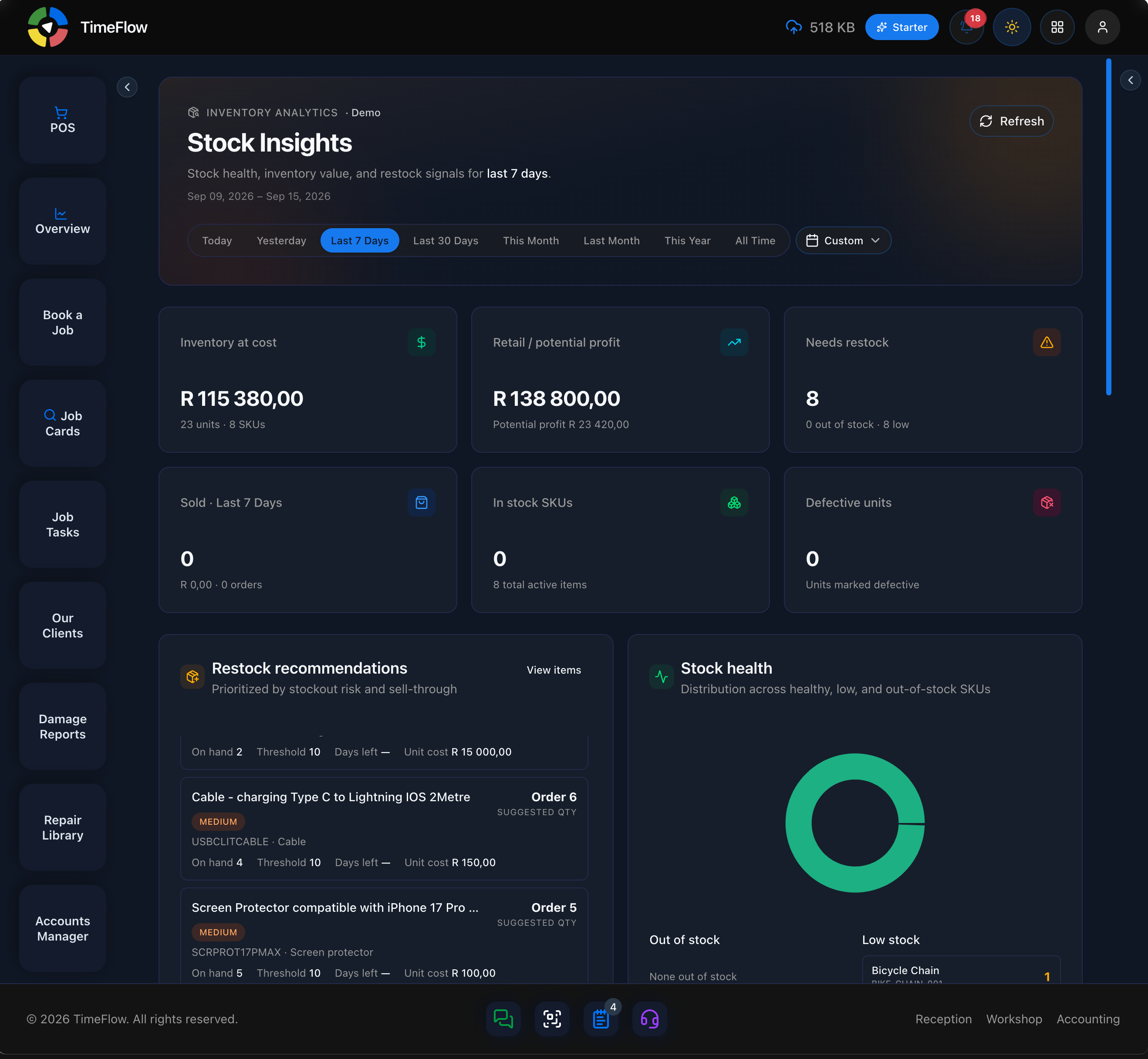
The page itself is titled Stock Insights in the app — same feature as "Inventory Insights" in the sidebar. A date-range bar (Today, Yesterday, Last 7 Days, Last 30 Days, This Month, Last Month, This Year, All Time, or Custom) plus a Refresh button controls the whole page; most cards below are scoped to whichever range is selected.
What you'll see
- Metrics cards — Inventory at cost (total R value, units, SKUs), Retail / potential profit, Needs restock (count, split into out-of-stock vs. low), Sold for the selected period, In stock SKUs, and Defective units.
- Restock recommendations — a scrollable list prioritized by stockout risk and sell-through; each row shows a priority badge (e.g. Medium), suggested order quantity, On hand, Threshold, Days left, and Unit cost, with a View items link.
- Stock health — a donut chart showing the distribution across healthy/low/out-of-stock SKUs, plus Out of stock and Low stock lists.
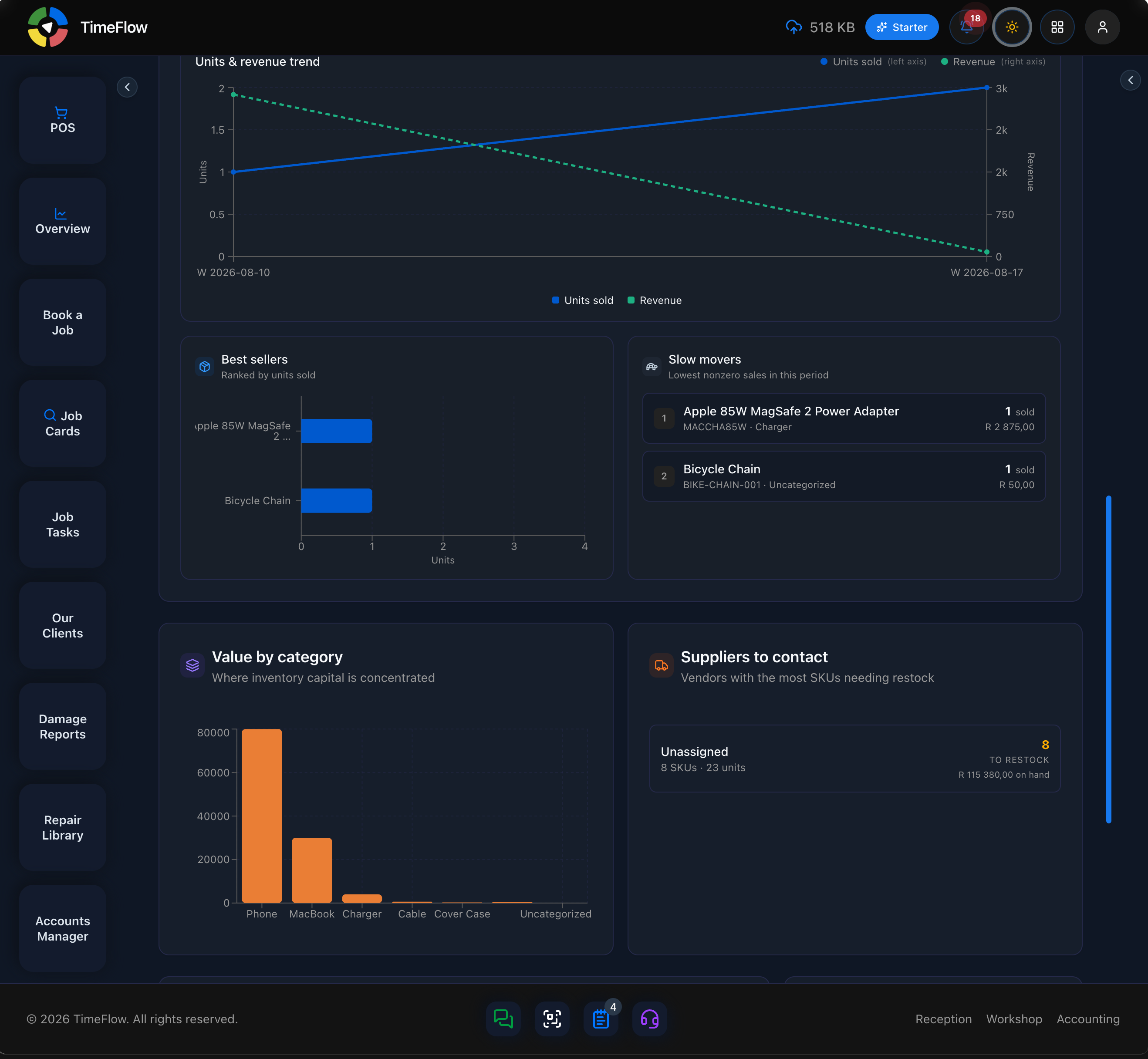
- Sales performance — a Units & revenue trend chart (units sold on the left axis, revenue on the right), plus a Best sellers list (ranked by units sold) and a Slow movers list (lowest nonzero sales in the period) — both show "No sales yet" / "No slow movers" when the period has none.
- Value by category — a bar chart of stock value concentration across categories.
- Suppliers to contact — vendors with the most SKUs needing restock (falls back to "Unassigned" for items without a supplier set), showing SKU/unit counts and a "TO RESTOCK" badge.
- Dead stock — Capital tied up lists on-hand stock with zero sales in the period ("consider promotions or reduced reorders"), and Defective stock shows units marked defective across SKUs, separately from normal sellable stock.
Tips
- Check Restock Recommendations and Dead Stock together before placing a purchase order — you may be able to fund new stock by discounting or writing off items that aren't selling (see Purchase Orders).
- Slow movers and dead stock use the same underlying sales history as Analytics, so numbers should always agree between the two.
Frequently asked questions
How does TimeFlow suggest what to reorder?
Restock recommendations are prioritised by stockout risk and sell-through, showing a suggested order quantity, on-hand stock, threshold, and days left.
Related guides
- Purchase ordersCreate supplier purchase orders for parts and stock, send them, and track them from draft to partially received and received with goods receipt notes.
- Items, categories, brands & suppliersSet up repair parts and stock items with cost, markup, VAT, warranty, and low-stock thresholds, organised by category, brand, and supplier.
- Scheduled reportsAutomatically email monthly financial and inventory reports (with PDF) to your accountant or managers, set a low-stock threshold, or request one now.