
Insights (Sales & Operations) in TimeFlow
Charts and breakdowns of your job cards, invoices, orders, transactions, and quotations over a date range you choose.
Updated · Reports & analytics
Before you start
You need insights permission.
Finding this in the UI
- Left sidebar → Insights, or go directly to
/dashboard/insights. - The header and footer do not have direct links here.
Setting the date range
The page is headed "Business Insights" ("Comprehensive analytics across job cards, invoices, orders, transactions, and quotations for
The sections
Each section card shows a count for the period (e.g. "4 job cards for this year") and, where relevant, a total amount or trend indicator in its top-right corner.
- Job Cards — a Job Cards Over Time line chart, plus a Top Booking Types bar chart.
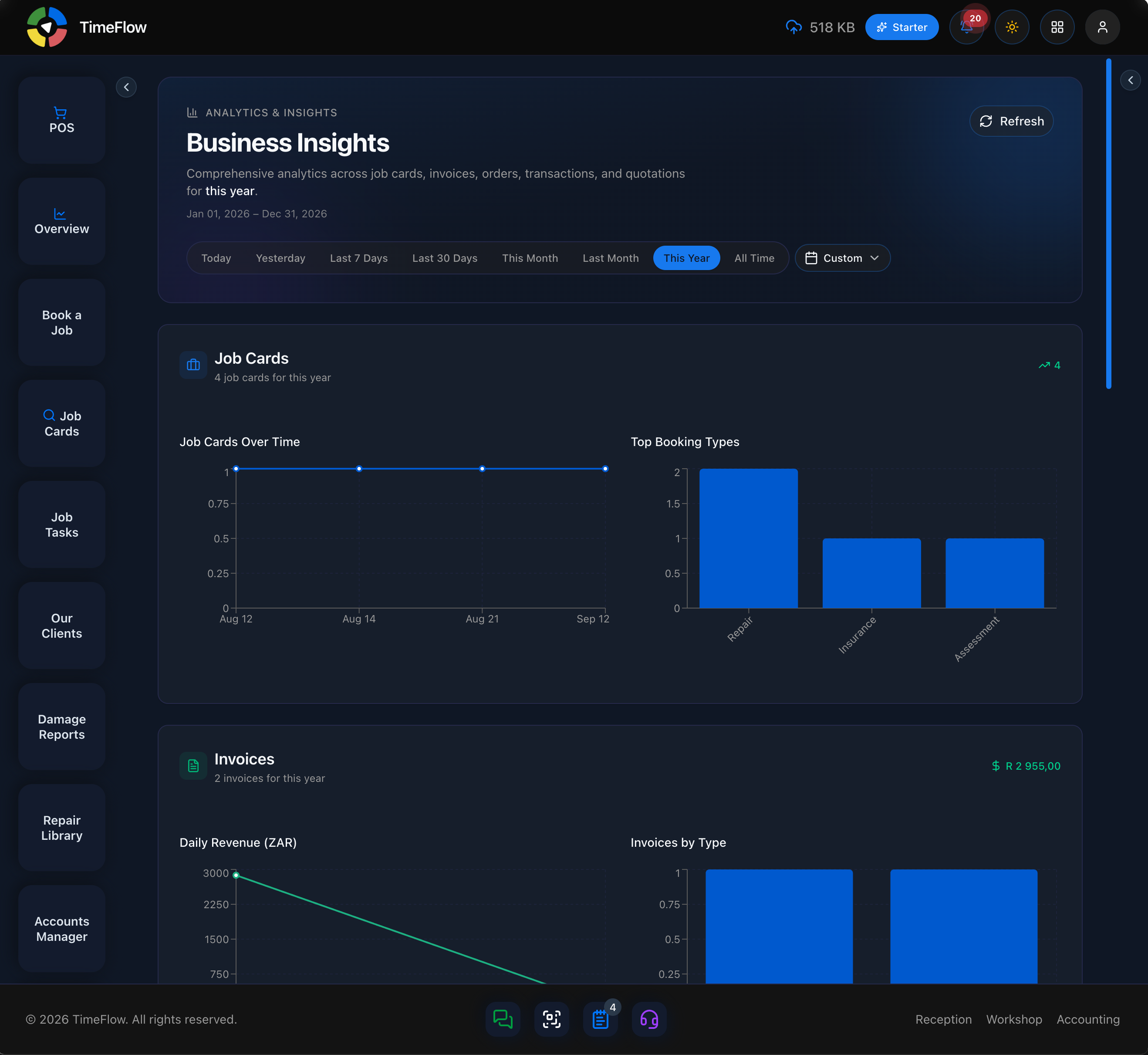
- Invoices — a Daily Revenue (ZAR) line chart and an Invoices by Type bar chart, with the period's total revenue shown top-right.
- Orders — an Orders Over Time line chart, an Orders by Status bar chart, and an Orders by Type pie chart.
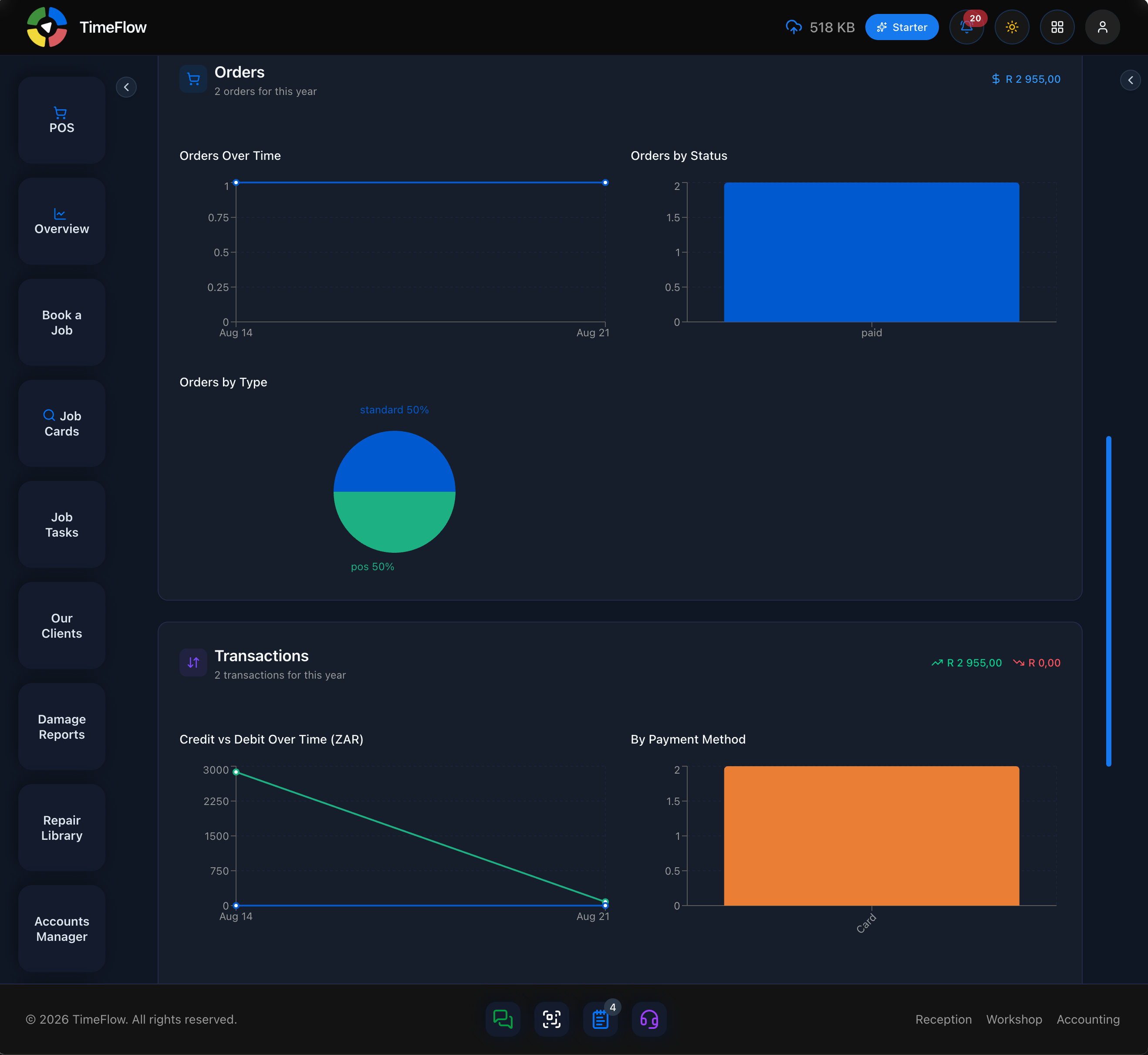
- Transactions — a Credit vs Debit Over Time (ZAR) line chart, a By Payment Method bar chart, and a By Status pie chart, with credit/debit totals shown top-right.
- Quotations — trends for the period; shows "No quotations found for this period" when there's nothing to chart.
Tips
- Use Insights when you want operational trends (volume, mix, status) for a chosen period; use Analytics (see the Analytics guide) for a broader at-a-glance dashboard of the whole business right now.
- Compare Job Cards and Invoices for the same period to see how many bookings are converting into billed work.
Frequently asked questions
Can I see how many bookings turn into paid work?
Compare the Job Cards and Invoices sections for the same date range on the Insights page to see how bookings convert into billed work.
Related guides
- Analytics dashboardOne dashboard for your whole repair business: job cards, revenue, pending invoices, quote conversion, growth versus last month, and overdue items.
- Data exportExport job cards, clients, stock, and invoices to CSV or Excel (.xlsx), filtered by date range and with the columns you choose.